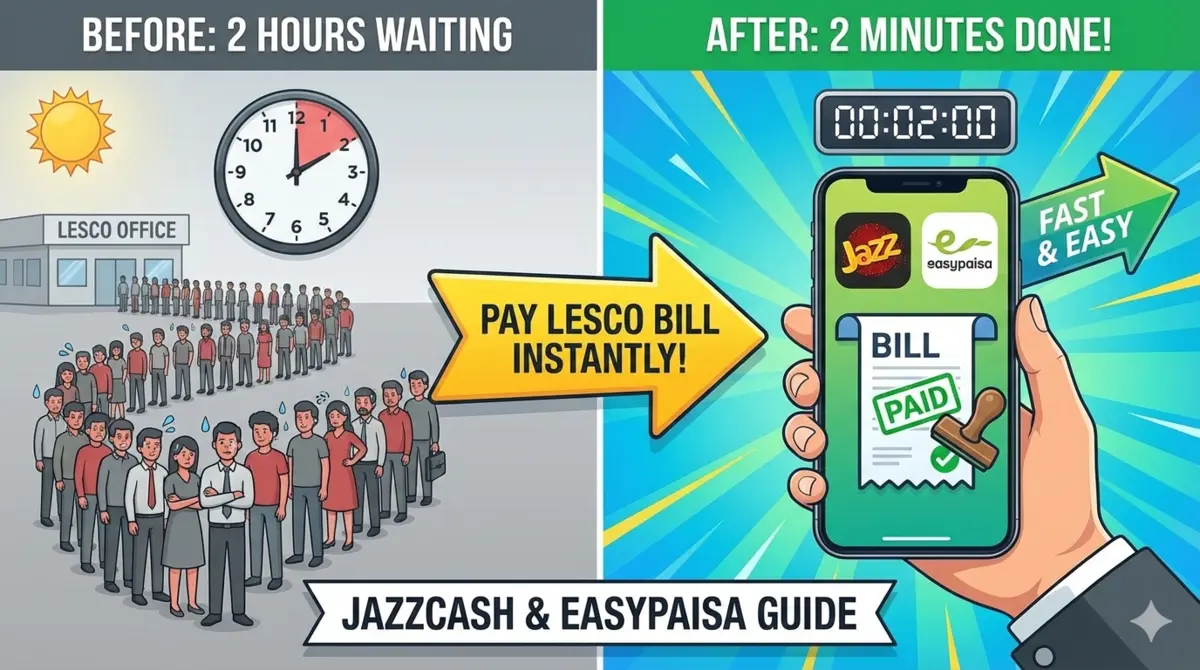
Tired of long queues at LESCO offices? Save 2 hours this month by paying your electricity bill from your phone in just 2 minutes! No service charges, instant SMS confirmation, and never miss a due date again. Works for ALL LESCO residential & commercial connections.
📱 Method 1: JazzCash App (Most Popular)
- Step 1: Open JazzCash & Login
Launch JazzCash app → Enter your MPIN (4-6 digit PIN). If first time, complete biometric verification. - Step 2: Go to Bill Payments
Tap “Pay Bill” or “Mobile Load & Bills” → Select “Electricity Bill”. - Step 3: Select LESCO
Choose “LESCO” from the list of electricity companies (Lahore Electric Supply Company). - Step 4: Enter Reference Number
Input your 12-digit Reference Number from LESCO bill → Tap “Next”. - Step 5: Verify & Pay
Bill details appear (amount, due date). Review → Tap “Pay Now” → Enter MPIN → Done!
✅ Success! You’ll receive SMS confirmation from JazzCash + LESCO within 5 minutes.

📱 Method 2: EasyPaisa App (Telenor Users)
- Step 1: Open the EasyPaisa App
Launch app → Login with MPIN or biometric authentication. - Step 2: Navigate to Bill Payment
Select “Pay Bills” from home screen → Choose “Electricity”. - Step 3: Choose LESCO
Tap “LESCO” → Enter your Reference Number → “Continue”. - Step 4: Confirm Payment
Verify bill amount → Tap “Pay Bill” → Enter MPIN → Payment complete!
🎯 What You’ll Need Before Starting
- LESCO Reference Number or Consumer ID (12 digits on bill)
- Active JazzCash/EasyPaisa account with sufficient balance
- Latest app version
- Internet connection
🔍 Pro Tips for Smooth Payment
| 💡 Tip | ✅ Benefit |
|---|---|
| Find Reference Number Fast | Top-right corner of LESCO bill or check via LESCO website/app |
| Pay Before Due Date | Avoid Rs50-500 late payment surcharge |
| Check Balance First | Minimum balance = bill amount + Rs10 |
| Save Transaction ID | Proof if payment doesn’t reflect (rare) |
⚠️ Common Issues & Solutions
- “Invalid Reference Number”: Double-check 12 digits, don’t add spaces
- “Insufficient Balance”: Add money via agent/bank transfer first
- Payment Successful but LESCO shows unpaid: Wait 2-4 hours or contact LESCO helpline 118
- Forgot MPIN?: Use “Forgot PIN” → CNIC verification
📞 Helpline Numbers (24/7)
| Service | Contact |
|---|---|
| LESCO Complaint/Bill Status | 118 |
| JazzCash Helpline | 4444 |
| EasyPaisa Helpline | 3737 |
⏰ Why Use JazzCash/EasyPaisa?
- ✅ Zero service fee (most cases)
- ✅ Instant SMS confirmation
- ✅ No queues, pay from home
- ✅ 24/7 availability
- ✅ Transaction history saved automatically
Updated: March 20, 2026 | Pay LESCO bills anytime, anywhere | Compatible with all LESCO residential & commercial connections

Farhan Shafique is a Pakistan-based researcher and content writer specializing in electricity billing systems and public utility services. He has spent years studying billing structures, tariff calculations, and consumer rights to help people better understand their monthly bills. Through detailed guides and step-by-step explanations, he aims to simplify complex utility processes for everyday users.