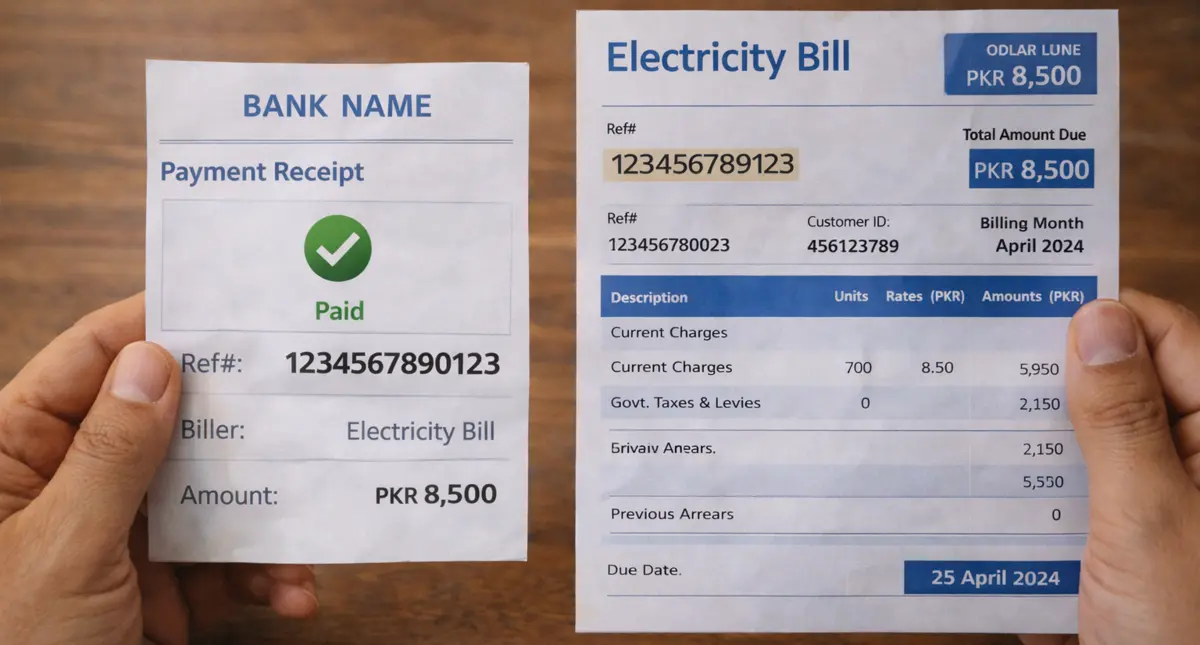
Electricity bill payment confirmation has become a critical concern for Pakistani consumers who face increasing instances of payment disputes, system errors, and even fraudulent claims of non-payment leading to disconnection notices.

[pwa-install-button]
With multiple distribution companies (DISCOs) serving different regions—including LESCO, GEPCO, MEPCO, FESCO, IESCO, PESCO, HESCO, SEPCO, QESCO, TESCO, and K-Electric—consumers need reliable methods to verify that their payments have been properly recorded in utility billing systems. The eBillPakistan platform, accessible through both the eBillPakistan.com website and the eBillPakistan application, provides a unified solution for checking bill payment status across all major electricity providers in Pakistan. This comprehensive guide explains how to confirm your electricity bill payment, understand payment verification processes, recognize legitimate payment confirmations, protect yourself from scams, and resolve disputes when payments don’t reflect properly in distribution company systems.

Understanding the Electricity Bill Payment Verification Challenge in Pakistan
Pakistan’s electricity distribution system operates through multiple regional companies, each managing millions of consumer accounts with varying levels of technological infrastructure and digital integration. When consumers make payments through banks, mobile wallets, online platforms, or authorized agents, the payment information must travel through intermediary payment networks before reaching the respective DISCO’s billing database. This multi-step reconciliation process creates opportunities for delays, data entry errors, system failures, or communication gaps that can result in legitimate payments not reflecting in consumer accounts promptly.
The consequences of unconfirmed payments can be severe: disconnection notices despite having paid, late payment surcharges added incorrectly, damage to credit records for commercial consumers, and time-consuming disputes requiring multiple visits to complaint centers with payment documentation. Additionally, scammers exploit payment confusion by creating fake utility websites, fraudulent payment collection schemes, or impersonating DISCO representatives to extract duplicate payments from confused consumers who cannot verify their original payment status reliably.
“Approximately 8-12% of electricity bill payment complaints in Pakistan relate to payments that were made but did not reflect in DISCO systems within expected timeframes, creating disputes that require an average of 7-10 days to resolve through traditional complaint channels.”
Consumer protection analysis of utility payment disputes
What is eBillPakistan? Your Unified Bill Verification Platform
eBillPakistan serves as a centralized digital platform that aggregates billing information from all major electricity distribution companies across Pakistan, providing consumers with a single access point to check bills, verify payment status, and download duplicate bills regardless of which DISCO serves their area. Rather than requiring consumers to remember and navigate separate websites for LESCO, GEPCO, MEPCO, FESCO, IESCO, and other regional providers, eBillPakistan consolidates these services into one user-friendly interface accessible through both web browser and mobile application.
Key Features of eBillPakistan Platform
- Multi-DISCO Support: Access billing information from LESCO (Lahore), GEPCO (Gujranwala), MEPCO (Multan), FESCO (Faisalabad), IESCO (Islamabad), PESCO (Peshawar), HESCO (Hyderabad), SEPCO (Sukkur), QESCO (Quetta), TESCO (Tribal Areas), and K-Electric (Karachi)
- Bill Checking: View current electricity bills with complete consumption details, charges breakdown, and due dates
- Payment Status Verification: Confirm whether bills show as paid or unpaid in DISCO databases with visible payment stamps
- Duplicate Bill Download: Retrieve and download previous month bills in PDF format for record-keeping or dispute resolution
- Payment History: Access historical payment records showing dates and amounts of previous payments
- Multiple Reference Number Support: Check bills using various identifier formats including 14-digit reference numbers, customer IDs, or old account numbers
- No Registration Required: Access basic bill checking functionality without creating accounts or providing personal information
- Mobile-Optimized Interface: Responsive design works seamlessly on smartphones, tablets, and desktop computers
- Real-Time Data Sync: Information retrieved directly from official DISCO databases ensuring accuracy and current status

How to Download and Install eBillPakistan APK Mobile Application
The eBillPakistan mobile application provides convenient bill checking and payment verification on Android smartphones, eliminating the need to access websites through mobile browsers. The APK (Android Package Kit) file can be downloaded and installed following these steps for users who prefer dedicated mobile app functionality.
Downloading eBillPakistan APK
- Visit the official eBillPakistan.com website using your mobile browser (Chrome, Firefox, or default Android browser)
- Navigate to the mobile app download section, typically found in the main menu or footer
- Locate the “Download Android App” or “Get APK” button and tap to initiate download
- Your browser may display a warning about downloading APK files from unknown sources—this is standard Android security protocol
- Confirm the download to save the eBillPakistan APK file to your device’s download folder
- Wait for the download to complete (file size typically 5-15 MB depending on version)
Installing eBillPakistan APK on Android
- Open your device’s Settings application
- Navigate to Security or Privacy settings (location varies by Android version)
- Enable “Install from Unknown Sources” or “Allow from this source” for your browser
- Open your device’s file manager or downloads folder
- Locate the downloaded eBillPakistan APK file
- Tap the APK file to begin installation
- Review the app permissions requested (typically internet access, storage access)
- Tap “Install” to complete the installation process
- Once installed, tap “Open” to launch the app or find the eBillPakistan icon on your home screen
- After installation completes, return to Settings and disable “Unknown Sources” for security
Alternative installation method: Some users prefer downloading the eBillPakistan app from Google Play Store if available, which simplifies installation by handling permissions automatically and ensuring automatic updates. Search “eBillPakistan” in Play Store and install directly if the official app is published there.
Step-by-Step Guide: How to Check If Your Electricity Bill is Paid
Verifying electricity bill payment status through eBillPakistan involves a straightforward process that works identically whether you’re using the website or mobile application. The key to successful verification is having your correct reference number and following the proper checking procedure immediately after making payment and again 24-48 hours later to confirm payment processing.
Using eBillPakistan.com Website
- Open your web browser (Chrome, Firefox, Safari, Edge) and visit www.ebillpakistan.com
- The homepage displays logos or links for all major DISCOs—LESCO, GEPCO, MEPCO, FESCO, IESCO, PESCO, HESCO, SEPCO, QESCO, TESCO, and K-Electric
- Click on your specific electricity provider’s logo or link (for example, click “LESCO” if you’re a Lahore Electric Supply Company consumer)
- You’ll be directed to that DISCO’s bill inquiry page with an input field for your reference number
- Enter your complete 14-digit consumer reference number exactly as printed on your electricity bill (ensure no spaces or extra characters)
- Complete any CAPTCHA verification if displayed to confirm you’re not a bot
- Click “Check Bill” or “Submit” button to retrieve your billing information
- The system displays your current bill details including consumption, charges, due date, and critically—payment status
- Look for the payment indicator: unpaid bills show outstanding balance amounts, while paid bills display a “PAID” stamp, zero balance, or payment confirmation message
- If paid, note the payment date shown and verify it matches your actual payment date
- Use the download or print option to save a copy showing paid status as proof
Using eBillPakistan Mobile App
- Open the installed eBillPakistan application on your Android device
- The app’s home screen displays all electricity distribution companies with their logos
- Tap on your electricity provider (LESCO, GEPCO, MEPCO, FESCO, etc.)
- Enter your 14-digit reference number in the input field using the on-screen keyboard
- Tap “Check Bill” or search icon to retrieve information
- The app displays your bill details with payment status prominently shown
- Paid bills show “PAID” stamp or indication; unpaid bills show outstanding amounts
- You can save frequently used reference numbers in the app for quicker future checking
- Use the share or download function to save paid bill confirmation
- The app typically loads faster than the website on mobile data connections
| Verification Method | Access Requirements | Speed | Best For |
|---|---|---|---|
| eBillPakistan Website | Internet browser, reference number | 5-10 seconds | Desktop users, occasional checking |
| eBillPakistan Mobile App | Android phone, installed app, reference number | 3-5 seconds | Frequent checking, on-the-go verification |
| Official DISCO Website | Know specific DISCO URL, reference number | 5-15 seconds | Direct source verification |
| SMS Service | Mobile phone, specific SMS format | 30-60 seconds | Basic feature phones, no internet |
| DISCO Customer Portal | Registered account, login credentials | 10-20 seconds | Detailed payment history, advanced features |
Understanding the “PAID” Stamp: What It Means and When It Appears
The “PAID” stamp or payment confirmation indicator that appears on electricity bills checked through eBillPakistan represents the most reliable evidence that your payment has successfully processed through the DISCO’s billing system and been recorded against your consumer account. This digital stamp eliminates ambiguity about payment status and provides documentary proof that can prevent disconnection notices or dispute claims of non-payment.
Payment Status Indicators Across Different DISCOs
Different electricity distribution companies display payment confirmation in slightly varying formats, though the fundamental indication remains consistent. LESCO bills typically show a prominent red “PAID” stamp overlaid on the bill details when payment has processed. GEPCO and MEPCO systems display “Payment Status: PAID” text along with payment date. FESCO bills show zero outstanding balance with “Last Payment Date” information. K-Electric’s system indicates “Bill Status: Paid” with payment transaction details. Regardless of format variation, all paid bills share common characteristics: zero current outstanding balance, payment date matching or shortly after your actual payment, and explicit paid status indication rather than just showing bill details.
Payment Processing Timeline: When to Expect the Paid Stamp
Understanding payment processing timelines helps set realistic expectations for when the paid stamp should appear after making payment. Different payment methods have varying processing speeds that affect how quickly payments reflect in DISCO systems.
- Online Banking/Internet Banking: Payments typically reflect within 2-24 hours as these systems have direct integration with DISCO databases through 1-Link or bank payment networks
- Mobile Banking Apps: Similar to internet banking, expect payment confirmation within 2-24 hours for most bank apps
- Mobile Wallets (JazzCash, EasyPaisa): Usually process within 4-24 hours; some consumers report immediate reflection while others experience delays up to 48 hours
- Bank Branch Counter Payments: Manual payments at bank counters typically take 24-48 hours to process as they go through end-of-day batch processing and reconciliation
- ATM Bill Payments: Generally process within 12-24 hours depending on the bank’s system integration with utility companies
- DISCO Business Center Payments: Payments made directly at electricity company offices usually reflect within 24 hours as they’re entered directly into the company’s system
- Authorized Collection Agents: Can take 48-72 hours as agents collect payments throughout the day and submit consolidated reports to DISCOs
- Third-Party Payment Platforms: Processing times vary by platform but generally range from 12-48 hours depending on their reconciliation schedules with utilities
“Payment reflection times depend significantly on the reconciliation frequency between payment networks and DISCO billing systems. While major banks sync multiple times daily, smaller payment agents may only reconcile once every 24-48 hours, explaining variation in when consumers see paid status confirmations.”
Payment processing infrastructure overview from utility billing systems

What to Do When Payment Doesn’t Show as Paid
If you’ve made payment but checking through eBillPakistan still shows unpaid status or outstanding balance after the expected processing timeframe, follow these systematic troubleshooting steps before escalating to formal complaints or making duplicate payments.
Immediate Verification Steps
- Confirm Reference Number Accuracy: Verify you’re checking the correct 14-digit reference number that matches the bill you paid—entering wrong numbers is the most common cause of “unpaid” status when payment was actually made
- Check Payment Receipt Details: Review your payment receipt or transaction confirmation to ensure the reference number on the receipt matches your actual consumer number
- Verify Payment Method Confirmation: Confirm your bank account was debited or wallet balance decreased by the correct amount—failed transactions sometimes generate receipts without actual payment processing
- Allow Adequate Processing Time: If less than 48 hours have passed since payment, wait for the full processing window before taking action
- Check Multiple Times: System updates may occur at specific times; check again in the evening if you checked in the morning
- Try Direct DISCO Website: Sometimes eBillPakistan’s database sync may lag behind; verify directly on your DISCO’s official website for comparison
Escalation Process for Unrecorded Payments
When adequate time has passed (48-72 hours) and payment still doesn’t reflect despite making legitimate payment, initiate the formal resolution process to protect your account from disconnection while the payment is located and recorded.
- Gather Payment Documentation: Collect all proof including original payment receipt, bank statement showing transaction, transaction reference number, payment date and time, and amount paid
- Contact Payment Channel First: Call your bank’s customer service or mobile wallet helpline with transaction reference number to confirm payment was successfully transmitted to the utility company
- Contact DISCO Customer Service: Call your electricity provider’s helpline (LESCO: 118, GEPCO: 118, FESCO: 118, K-Electric: 118, etc.) and provide consumer number plus payment transaction reference for payment tracing
- Submit Written Complaint: If phone contact doesn’t resolve within 24 hours, submit written complaint at DISCO business center with payment receipt copies
- Request Payment Investigation: Ask for formal payment investigation file number that allows you to track resolution progress
- Obtain Disconnection Protection: Request temporary hold on any disconnection action while payment investigation is ongoing—most DISCOs provide 7-15 day protection for disputed payments with documentation
- Follow Up Regularly: Check complaint status every 2-3 days until resolution; payment investigations typically conclude within 7-15 working days
- Request Manual Credit: Once payment is verified in the payment network but not yet in DISCO system, request manual account credit to reflect payment immediately
| Time Since Payment | Action Required | Documentation Needed | Expected Outcome |
|---|---|---|---|
| 0-24 hours | Wait and monitor; check multiple times | Keep payment receipt safe | Most payments reflect within this window |
| 24-48 hours | Verify reference number; check direct DISCO site | Payment receipt, consumer bill | Processing delays resolve for most cases |
| 48-72 hours | Contact payment channel to confirm transmission | Transaction reference, receipt, bank statement | Payment confirmation from bank/wallet |
| 72+ hours | File formal complaint with DISCO | All payment proof, written complaint | Investigation file opened, resolution in 7-15 days |
| 15+ days | Escalate to DISCO regional office or NEPRA | Complaint number, all documentation, correspondence | Senior management intervention, forced resolution |

Protecting Yourself from Electricity Bill Payment Scams
Fraudsters exploit confusion around electricity bill payments through various scam techniques designed to extract money from consumers who struggle to verify payment status reliably. Understanding common scam patterns and implementing protective measures helps avoid financial losses and identity theft attempts disguised as utility payment assistance.
Common Electricity Bill Payment Scams in Pakistan
- Fake Payment Websites: Scammers create websites mimicking official DISCO portals with URLs similar to legitimate sites (e.g., “lesco-bill.com” instead of official domains); consumers enter reference numbers and make payments that go to scammers rather than electricity companies
- Fraudulent Collection Agents: Individuals claiming to be authorized DISCO agents visit homes or businesses offering to collect bill payments, providing fake receipts while keeping the money
- Phishing Phone Calls: Callers impersonating DISCO staff claim accounts have unpaid bills requiring immediate payment to avoid disconnection, directing victims to fraudulent payment methods
- Fake Mobile Apps: Unofficial apps downloaded from sources other than Google Play Store or official websites collect payment information or reference numbers for identity theft
- SMS Scams: Text messages claiming to be from electricity companies with links to fake payment portals or requesting personal information
- Duplicate Payment Schemes: Scammers contact consumers shortly after legitimate payment claiming the payment failed and demanding re-payment through alternative methods
- Overpayment Refund Scams: Fraudsters claim consumers overpaid bills and offer refunds requiring bank details or processing fees
How eBillPakistan Helps Prevent Payment Scams
Using eBillPakistan as your primary bill verification platform provides multiple layers of protection against payment fraud through its legitimate integration with official DISCO databases and transparent payment status verification.
- Official Data Integration: eBillPakistan retrieves information directly from legitimate DISCO systems, ensuring you see authentic bill amounts and payment status rather than manipulated fake data
- Immediate Payment Verification: The paid stamp feature allows instant confirmation that payments reached the actual electricity company rather than intercepted by scammers
- No Payment Processing: eBillPakistan itself doesn’t process payments, reducing risk of payment information compromise—it only displays data from official sources
- Reference Number Validation: The system validates reference numbers against DISCO databases, alerting you if entering incorrect or non-existent account numbers
- Historical Records: Access to payment history helps identify discrepancies or duplicate payment attempts
- Transparent Information: Clear display of official bill details allows comparison with any claims made by suspicious collection agents or callers
Best Practices for Safe Electricity Bill Payment
- Use Only Official Payment Channels: Pay through verified banks, official DISCO business centers, or established platforms like JazzCash/EasyPaisa—never through individuals claiming to be collection agents
- Verify Website URLs Carefully: Before entering any information, confirm you’re on legitimate websites by checking URL spelling and https:// security
- Never Share Personal Information: Legitimate DISCOs never request CNIC numbers, bank account details, or passwords through phone calls or messages
- Ignore Disconnection Threats: Scammers use urgency tactics; if receiving disconnection threats, verify independently through eBillPakistan rather than responding to the caller
- Keep Payment Receipts: Always obtain and save official receipts from legitimate payment channels showing transaction reference numbers
- Verify Before Second Payment: If someone claims your payment failed, check through eBillPakistan first before making any additional payment
- Report Suspicious Activity: Contact your DISCO’s fraud department if encountering suspicious payment requests or fake collection agents
- Download Apps from Official Sources: Only install eBillPakistan or DISCO apps from Google Play Store or official websites—never from third-party APK sites
- Check Paid Status Immediately: Verify payment reflection through eBillPakistan within 24-48 hours to detect failed transactions quickly
- Educate Household Members: Ensure family members and staff know legitimate payment procedures to prevent falling for scams
“Consumer protection authorities estimate that electricity bill payment scams cost Pakistani consumers over PKR 500 million annually, with most victims being elderly individuals or small business owners who lack digital literacy to verify payment authenticity through official channels.”
Financial fraud prevention awareness data
Comparing Payment Verification Methods: eBillPakistan vs Alternatives
While eBillPakistan offers convenient centralized access, consumers have several alternative methods for verifying electricity bill payment status. Understanding the advantages and limitations of each method helps choose the most appropriate verification approach for different situations.
| Verification Method | Advantages | Limitations | Processing Speed |
|---|---|---|---|
| eBillPakistan Website/App | Multi-DISCO support, user-friendly, no registration, quick access, mobile-optimized | Requires internet connection, occasional sync delays | Instant (5-10 seconds) |
| Official DISCO Websites | Direct from source, most authoritative, detailed information | Must know specific DISCO URL, separate site for each provider, varying interfaces | Instant (5-15 seconds) |
| DISCO Mobile Apps | Official source, additional features like complaint filing, push notifications | Separate app for each DISCO, registration required, larger storage requirements | Instant (3-10 seconds) |
| SMS Services | No internet required, works on basic phones, quick balance check | Limited information, doesn’t show paid stamp, SMS charges apply | 30-90 seconds |
| DISCO Helpline Call | Human assistance, can ask questions, immediate clarification | Wait times, business hours only, verbal confirmation only (no documentation) | 5-20 minutes |
| DISCO Business Center Visit | Official printed confirmation, complex issues resolved, face-to-face service | Time-consuming, travel required, queues, business hours only | 30-120 minutes |
| Third-Party Payment Apps | Integrated with payment, transaction history, multiple utilities | Shows payment sent, not always DISCO confirmation, registration required | Instant (payment) / 24-48hrs (DISCO confirmation) |
Regional DISCO-Specific Guidance for Payment Verification
Each electricity distribution company in Pakistan has unique characteristics in their billing systems, payment networks, and verification processes. Understanding your specific DISCO’s procedures enhances payment confirmation effectiveness.
LESCO (Lahore Electric Supply Company)
LESCO serves Lahore, Kasur, Okara, and Sheikhupura districts with over 6 million consumers. Payment verification through eBillPakistan shows a prominent red “PAID” stamp on bills when payments process successfully. LESCO’s system typically reflects online banking payments within 12-24 hours and bank counter payments within 24-48 hours. Consumers can cross-verify through LESCO’s official website at lesco.gov.pk or by calling helpline 118. LESCO has relatively reliable payment reconciliation systems due to extensive digitalization, though temporary delays occur during high-volume payment periods around due dates.
GEPCO (Gujranwala Electric Power Company)
GEPCO covers Gujranwala, Sialkot, Narowal, Gujrat, Mandi Bahauddin, and Hafizabad districts. Payment status on eBillPakistan displays as “Payment Status: PAID” along with payment date. GEPCO’s payment processing typically takes 24-48 hours for most payment channels, with direct payments at GEPCO offices reflecting within 24 hours. Verify through gepco.com.pk or helpline 118. GEPCO has made significant improvements in digital infrastructure recently, reducing payment reconciliation issues compared to previous years.
MEPCO (Multan Electric Power Company)
MEPCO serves Multan, Bahawalnagar, Bahawalpur, Dera Ghazi Khan, Khanewal, Layyah, Lodhran, Muzaffargarh, Rajanpur, Sahiwal, Vehari, and Pakpattan districts. Payment confirmation through eBillPakistan shows similar formatting to GEPCO with “PAID” status indication. MEPCO’s payment processing generally takes 24-48 hours, though rural area payments through agents may take up to 72 hours. Verify through mepco.com.pk or helpline 118. MEPCO consumers should be particularly vigilant about retaining payment receipts as reconciliation in some subdivisions occasionally experiences delays.
FESCO (Faisalabad Electric Supply Company)
FESCO covers Faisalabad, Jhang, Sargodha, Mianwali, Khushab, Chiniot, Bhakkar, and Toba Tek Singh districts. Payment verification shows zero outstanding balance and last payment date when bills are paid. FESCO’s system typically processes online payments within 12-24 hours and manual payments within 24-48 hours. Cross-verify through fesco.com.pk or helpline 118. FESCO has implemented improved reconciliation systems, though payment delays occasionally occur during system maintenance windows.
IESCO (Islamabad Electric Supply Company)
IESCO serves Islamabad, Rawalpindi, Attock, Chakwal, and Jhelum districts. Payment status displays with clear “PAID” indication and payment transaction details. IESCO generally has faster payment processing—12-24 hours for most channels due to better digital infrastructure in the capital region. Verify through iesco.com.pk or helpline 118. IESCO consumers typically experience fewer payment reconciliation issues compared to other DISCOs.
K-Electric (Karachi Electric)
K-Electric serves Karachi and surrounding areas with the most advanced digital infrastructure among Pakistani electricity providers. Payment verification through eBillPakistan shows “Bill Status: Paid” with detailed payment information. K-Electric’s payments process very quickly—often within 2-12 hours for online channels and 12-24 hours for offline payments. Verify through ke.com.pk or helpline 118. K-Electric offers the most sophisticated customer portal with detailed payment tracking, transaction history, and instant confirmation features.
PESCO, HESCO, SEPCO, QESCO, TESCO
These regional DISCOs serving Khyber Pakhtunkhwa (PESCO), Hyderabad region (HESCO), Sukkur region (SEPCO), Quetta region (QESCO), and Tribal Areas (TESCO) have varying levels of digital infrastructure. Payment processing times generally range from 24-72 hours depending on location and payment method. Rural area payments may take longer to reflect. Consumers in these regions should allow extended processing times and maintain payment documentation carefully. Each can be verified through respective official websites or helpline 118.

Farhan Shafique is a Pakistan-based researcher and content writer specializing in electricity billing systems and public utility services. He has spent years studying billing structures, tariff calculations, and consumer rights to help people better understand their monthly bills. Through detailed guides and step-by-step explanations, he aims to simplify complex utility processes for everyday users.