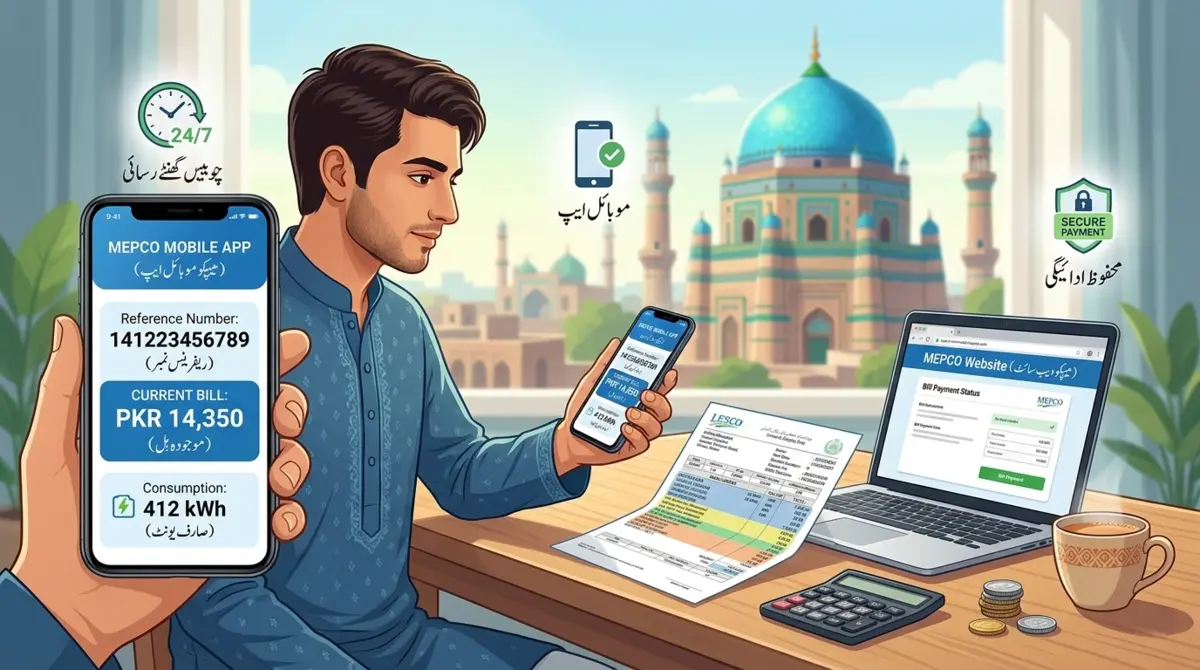
If you want to check your MEPCO bill online then you are at right place. From here you can see, download or print your Multan Electric Power Company (MEPCO) electricity bill very easily and in few seconds.
MEPCO gives electricity to crores of people in South Punjab. I remember before internet times my father used to go to office just to check bill. Now everything is online and it is very easy. You can check bill sitting at home and also save your time. In this post I will tell you everything about how to check MEPCO bill online, how to pay it and what other services MEPCO gives.
What is MEPCO?
MEPCO full name is Multan Electric Power Company. It is one of big electricity companies of Pakistan. MEPCO gives electricity to many districts of South Punjab like Multan, Vehari, Khanewal, Lodhran, Sahiwal, Pakpattan and Bahawalnagar. Not only homes but shops and factories also get electricity from MEPCO. They also handle all billing work and customer problems in these areas.
How to Check Your MEPCO Bill Online
Checking MEPCO bill online takes only few seconds. There are many ways to do this. The good thing is that you do not need to go anywhere. You can check your this month bill and also old bills from your home on mobile or computer. MEPCO online system is made in a way that anyone can use it easily even if you are not much educated about internet things.
Check MEPCO Bill by Reference Number
Your reference number is on the top of your electricity bill. I also did not know this before but now I know it very well. So first you have to open MEPCO website or any bill checking website on your mobile or computer. When the website opens you will see a place on front page where you can check your bill.
Now you have to write your 14 number reference number in the box. Please write it carefully because if one number is wrong then bill will not open. After writing the number you have to press the submit button or check bill button. After pressing this button your bill will come on screen very fast. You can also save it or print it so you can keep it safe with you for later use.

| MEPCO Online Bill Check Method | Requirements | Availability |
|---|---|---|
| Official MEPCO Website | Reference number or consumer ID | 24/7 access from any browser |
| MEPCO Mobile App | Smartphone with internet connection | iOS and Android platforms |
| SMS Service | Registered mobile number | Instant bill details via text |
| Third-Party Payment Apps | Consumer number and app registration | Through JazzCash, Easypaisa, etc. |
Common Issues and Solutions
Sometimes when you try to check MEPCO bill online some problems come. I also faced these problems many times. So I will tell you what problems come and how you can fix them.
Reference Number Not Working
Sometimes you enter reference number but bill does not open. This is very common problem. First thing you should do is check your number again. Maybe you wrote wrong number or you put space or dash in between. Also check that you are using new bill reference number not old bill number. Sometimes old number does not work. You can also try to clear history and cache of your browser and then try again. If still not working then try at different time because sometimes website has too much load. If nothing works then just call MEPCO helpline and they will help you.

Bill Not Updated
Sometimes you open website but new bill is not showing. Do not worry about this. MEPCO usually puts new bill in first week of every month. Every area has different time for meter reading so maybe your area bill comes little late. If you have new connection then your first bill can take one full month to show online. But if it is after 10 date of month and still bill is not showing then you should go to nearest MEPCO office and ask them about it.
Website Access Problems
Sometimes MEPCO website does not open or works very slow. In this situation you can try other websites that also show MEPCO bill. Also check your internet first because sometimes internet is weak and website does not load properly. You can also try different browser like if you are using Chrome then try Firefox or something else. One more thing I want to tell you is that if you are using VPN then please turn it off because VPN sometimes creates problem in opening these type of websites.
Understanding Duplicate Bill MEPCO
Duplicate bill is basically a copy of your original electricity bill. When your original bill is lost or damaged then duplicate bill is used in its place. It is same as original bill and you can use it for everything.
When You Need a Duplicate Bill
There are many situations when duplicate bill is needed. Many times original bill gets lost in post or you put it somewhere in home and then forget where you kept it. Sometimes bill gets torn or wet and you cannot read anything on it. I also lost my bill two times like this. Also sometimes you need bill for some official paper work or to show somewhere as a proof. Some payment centers also ask for bill before taking payment. And if you are living in a rented house then your landlord can also ask for bill to see how much electricity is being used.
How to Obtain Duplicate Bills
Getting duplicate bill is not difficult at all. Easiest way is to check MEPCO bill online and just download it. This downloaded bill works same as original bill. You can also print it from your printer at home. This printed copy is also valid everywhere. If you want official printed copy then you can go to MEPCO customer service center and they will give you one. MEPCO mobile app is also there and you can get duplicate bill on your phone from it. If you need bill of last months then you can contact MEPCO billing department and ask them for it.
MEPCO Coverage Areas
MEPCO works in many areas of south Punjab. If you live in MEPCO area then you can use all their online services easily. It is good to know if your area comes under MEPCO or not.
Major Service Districts
Multan is the main city of MEPCO and their head office is also here. Vehari, Khanewal and Lodhran are also in MEPCO area and people there get electricity from MEPCO. Sahiwal and Pakpattan also come under MEPCO and their bills also come from MEPCO. Bahawalnagar is also included in MEPCO coverage area. So all these districts get electricity from MEPCO network. If you live in any of these areas then you can easily check your bill online from MEPCO website no matter which part of district you are living in.
Frequently Asked Questions
Can I check MEPCO bill without a reference number?
Yes, some authorized platforms allow MEPCO bill online check by CNIC. You can also contact MEPCO customer service with your consumer number to retrieve bill information.
How often does MEPCO update online bills?
MEPCO typically updates online bills during the first week of each billing month. Exact timing varies by area based on meter reading schedules.
What should I do if my online bill shows incorrect charges?
Contact MEPCO customer service immediately through their helpline or visit your nearest MEPCO office. Submit a formal complaint with your consumer number and details of the discrepancy.
Can I pay my MEPCO bill after the due date?
Yes, you can pay after the due date, but late payment surcharges will apply. MEPCO adds penalty charges to overdue bills according to their standard policy.
How do I register a new connection with MEPCO?
Visit your nearest MEPCO customer service center with required documents including property ownership proof, CNIC copy, and completed application form. You can also initiate the process through the MEPCO website.
Is the MEPCO mobile app free to download?
Yes, the official MEPCO mobile application downloads free from Google Play Store and Apple App Store. The app provides free access to all bill checking and customer service features.
Conclusion
The consumer bill MEPCO system empowers you with information, control, and convenience. By embracing these digital services, you save time, reduce costs, and gain better insight into your electricity consumption patterns. Regular monitoring of your bill bijli MEPCO helps you stay on top of payments, avoid penalties, and implement effective energy-saving strategies.